End of another iPad experiment

I’m trying to remember when I started my latest experiment with the iPad.  My first experiment began in 2010, when the first iPad was released.  I wanted a real electric tablet!  That lasted a few years. 

Eventually I realized what it couldn’t do and lost interest in it.  I took an interest again when Tim Cook introduced the Pencil, but it was reserved for the high end users, and I waited.  Then the Pencil was broadened to all users.  I made my move.  I bought.

Immediately I came up against two hard facts.  The operating system was clumsy, and the Pencil wasn’t made for handwriting.  But, I didn’t give up.  I set my mind to give it a good effort.  Well, that effort is over now, and I’m relieved.

The operating system was nothing but a constant bother.  Every action took at least four steps.  The iPad didn’t know how to organize files.  It didn’t know how to move files to or from other devices.  And it didn’t know how to receive input from the user.  Using it was like trying to build cabinetry with mittens on.

Let me just point out that I am experienced in using the most mature and sophisticated operating system in the world: Mac OS.  It is the operating system that taught the world how to use computers.  

What do I mean?  For information organization and presentation, the Mac wisely drew on the file system that Western society had been developing for centuries:  the hierarchical file system. Looking at the Mac screen, any office worker would see a representation of the same files and folders they saw in cabinets against the wall.  They understood it.  I’d like to say more, but not now.

There was really only one viable way to get information into an iPad, and that was through a keyboard.  But the iPad didn’t have one, it only had a cartoon of one.  So, you have to add a keyboard, and then you were back to an imitation laptop computer with a clumsy operating system.  You want to copy some files from a hard drive?  The iPad was surprised by that.  Sure, the iPad would figure out a way, but you were going to have to help it.

What about the Pencil?  For years, Apple barely acknowledged the concept that pencils are used for handwriting.  Then, they began to admit, that yes, a pencil is not just for drawing.  Expectations rose.  They announced that the user could now use the Pencil to write in Pages, their word processor, and in many other places!  Amazing.

The problem was in the execution.  My handwriting on the iPad produced text more erratic than a seventh-grader’s typing.  It proceeded between frequent scratch-outs and rewrites.

Then the system errors began.   I had bought a refurbished iPad Pro.  The screen started dimming and brightening randomly.  I like my screen bright, so I kept going to the Settings and setting it to bright.  Apple has created an annoying ability for the operating system to decide when to change brightness, supposedly based on ambient light, and I turned that off.  But another version of that control was hidden in some collection of automatic controls that must have been designed by the marketing department.  So I went there and turned it off.  The random brightness changes continued.

Through all this troubleshooting, I was assisted by some great technicians at Apple Support.  In the late stages I took the iPad to the Apple Store Genius Bar a couple of times, leaving it overnight or for a few days.  Finally, the Support team decided I should send it to an Apple repair center.  They turned it around pretty fast, but the repair did not fix the problem.  Finally, they decided to replace the defective tablet with a brand new top-of-the-line iPad Pro.  They were going all out for me.

Unfortunately, iPad pros now use FaceID, which I spurn, so I sold the iPad Pro and bought a great iPad Air with TouchID.  I felt a little sheepish, because I was rejecting the Support team’s ultimate gift for something less, and in a way that implied criticism of the iPad Pro.  But, I got the Air, along with a new Apple Pencil 2, and it was great.  The handwriting recognition improved a little, but then regressed.

I’d been using the iPad Air for almost a year when the new problem began.  The iPad stopped opening pdfs.  I frequently used the iPad and pencil to sign documents for work, so this was a mission critical problem.

Back to Apple Support I went, and they began to work with me over a couple of weeks.  Finally, the engineers were stumped.  They said to wait until the next OS update to see if that happened to fix it.  While waiting, I decided to run some tests of my own.  I deleted a couple of apps, and the iPad began opening pdfs again!

What were the apps?  They were two handwriting recognition apps.  I had downloaded them in my never-ending quest to use the iPad as a real electronic tablet.  That was the last straw.

I decided to end my iPad struggles.  I got rid of the iPad.  I bought a 2017 MacBook 12” from Other World Computing.  I’ve given up on handwriting recognition again, and the iPad, for a long while to come.  But I have have a sleek little laptop for my mobile computing, and it uses the best operating system in the world.  I love it.

Sunset Valley to Lake LadyBird

Mostly sunny sky.  Heat forecast.

Stopped at La Madeleine for some orange juice.  Sat at the table and studied the map.  I wanted to cycle from Madeleine to the river without going down a major street—Lamar, Menchaca, S. 1st, S. Congress.

Found two.  I chose one:

Jones Road to Packsaddle Pass.

At Packsaddle Pass, turn left and then to Redd.

At Redd, turn right and to Banister.

At Banister, turn left, And after several blocks 

Dogleg right and to Garden Villa.

At Garden Villa, turn left to Cardinal.

At Cardinal, turn left and to S. 5th.

At S. 5th, turn left.  Home free.

Roll down to the river.

It would be helpful if Cumberland would connect with Bridgeway.

I had to cross a few major streets, but I never had to ride on one.  All easy neighborhood streets.  On S. 5th, new apartment complexes joined old ones and crowded out more houses.

I crossed the river on Pflugerville Bridge, and on the north side I discovered Mañana, an airy cafe with as much outdoors as in, with a long shelter for shade.  The tables are full.  Half the people are chatting with each other, the other half are gazing at their phones.  Families with kids occupy several tables.  One daydreams while her father looks at his phone.

You know they blew it.

Did you know that Garry Trudeau is to blame for the lousy implementation of handwriting to text on the ipad?

When apple brought out the newton, which was the blackberry killer, doonesbury mercilessly lampooned the handwriting to text errors of the newton.  Nonsensical things.

Palm Pilot competitor. ..

Steve Jobs hated the newton.  He called it the scribble pad.  As soon has he retook control of apple, he killed the newton.

I think he developed an aversion to handwriting to text.

When they released the first ipad, there was no mention of it.  a lone developer released a separate app for it, but they were not promoted by  apple.

When apple released the first ipad, I bought one.  I wanted a tablet that I could write on with a stylus and  have display text.  There had to be a way.  Yes, by going to great lengths you could do it, but it was not part of the operating system.  It was an extra application.  I didn’t buy another ipad for a long time.

It was after Tim Cook made the pencil work with the low end ipad, I  bought again.  Handwriting to text was mentioned parenthetically.  It was a little easier.

And this is why the ipad is a failure.  The most natural way to write is to sit with a pen in one hand and a paper in the other.  This is really the only reason for an ipad to exist.

Steve said, so I’ve heard, that when you see a new company bring out their handheld device, ‘if you see a stylus, you know they blew it.’

Once again, the very idea of writing is scorned.

Instead, they have turned the ipad into an always trailing camp follower to the mac.  The operating system is clumsy, but it will nearly do what a mac can do.  It’s sort of a lightweight production machine.  Wow!  

I say, if you see a keyboard, you know they blew it.

Onward by rail

Why do I ride the rails?  First, because it’s the mode of travel that contributes least to the destruction of the natural world. Second, because it’s miles better than the flying torture chambers of the airlines.  Third, because it’s much less work than driving.  Most of all, because it restores romance to the sense of travel. It’s adventure!

I had a hard time sleeping this trip, going north. My insomnia is unpredictable.  My trip going south, crossing different track during the night, I slept well in the roomette.  Can’t say much for sleeping in coach: it’s possible.

Think about all those train stations named Union.  Remember that President Lincoln, while he was wrestling with a civil war, promoted the building of the first coast to coast track that tied the Union together.  We can do it again.

Look for upcoming adventures: 

The rolling stock; The tracks; The politics; The funding; The cost; The alternatives.

The Big Crash

My MacBook Air sits in a box in my study.  It came back from the Apple repair depot about a week ago.  I haven’t unwrapped it.

Normally, I would be in a happy rush to get the operating system set up, to get the applications installed, to load the documents, and to establish my file structures.  Not this time.  I’m dreading it.

I’ve already gone through those drills twice in two months.  Those were the high points of hours and days and weeks of troubleshooting and emergency backups and Apple support chats.

On top of that, the MacBook was my main machine.  So when I realized it was going down, I scrambled to set up an old Mac mini to take the workload.  And then the MacBook did go down.  So, I bought a new Mac mini.  I set that up to serve as the main machine and made the old mini my backup machine.

So, I’ve done virtually the same setup and rebuild four times in two months.  It wasn’t as easy as I thought it would be.

I had a Time Machine backup of the MacBook, so I planned to use Migration Assistant to smoothly move my entire MacBook setup to the new machine.  But the Apple specialists suspected the problem with the MacBook could be in the software, so using the backup could move the problem to the new (and repaired) Mac.  That meant I had to do everything one laborious step at a time.

Try entering four dozen passwords manually.  Four times!  (Don’t talk to me about iCloud Keychain.)

I had to extract the document files, and I made several emergency backups, buying several external hard drives to deal with all the files.  Now, I have to sort all those out.

The trouble began with some keyboard entry errors.  I decided to restart the Mac, so I started quitting applications.  The apps refused to quit.  Then the Mac went through a kernel panic, crashed, and refused to restart.

That was my first trip to the Apple Store Genius Bar.  The specialist took it into the back and “blew the dust off the logic board.”  Miraculously, it started up!  He gave it back to me.

A week later I was back at the Genius Bar.  The specialist  kept it for a few days, erased the hard drive, and reinstalled the OS.  He called that a software repair.

My first re-setup of the MacBook did not go well.  I plowed forward through multiple system errors and crashes over two days to reach the point that I could migrate the documents and make an emergency backup.  Then, it crashed.

My third trip to the Genius Bar convinced the specialists that this was serious.  They shipped it to one of their depots, where serious repairs are done to seriously disturbed Macs.  When it came back, the packing sheet  listed a half dozen replaced parts beginning with the logic board.  That ought to fix it.

I went through the laborious and tedious setup almost without mishap.  The MacBook seemed to do fine for about a month.

I wasn’t using it much.  I had shifted all my work to the Mac mini, and I wasn’t going to shift it back.  I used the MacBook in my spare time for low-intensity chores like typing text and sorting through emergency backups.  Then it showed a few warning signs.  Then it had a kernel panic.  I knew what was coming.  Sure enough, the next day it was dead. 

On my fourth trip to the Genius Bar, the Genius was just going through the motions.  He kept assuring me about how they respected all the time I had put into this machine.  (Sure.). They were going to send it back to the depot and fix it right, by golly!

One thing I’ll say: the repair depot is quick.

So here it is.  I can’t get any enthusiasm for it.  I don’t even need it now, really.  I’m wondering how to calculate the mean time before failure.  They still haven’t even diagnosed the problem.  They just replace parts.

But, I can’t just let it sit in the box forever.  I have to rebuild it again.

One evening on Broadway

At Julian’s.  I walked over in sunshine, but as I walked the sun dropped below the rooftops, casting the streets in shadow.  I’ll walk home in the dark, and that’s fine, but not as good as the sunlight.

That’s the trade off.  I could have walked in the broad daylight, but I would have had to go back to work.  Now, I get the fading light, but I’m free.

Emergence

All I can tell you is that I went through dislocations, international intrigue, misfortune, determination, friendship, relocation, and escape. Obstacles kept arising, and I kept stumbling over them, supported by loved ones.

When the surge of time became a flow again, I found myself here, in Rhode Island. I found some writers. We talk. We don’t really know each other yet, but I see possibilities.

These writers are putting on a public reading called Emergence. Local poets and other writers will read on the subject. I’ll be there. I’ll read.

As it happens, I have a poem that has been waiting quietly since 1979 for this moment. Forty years patient in the journal. Now it will emerge. I’ll have some printed folios for those who want one. Art added by Sean Haworth.

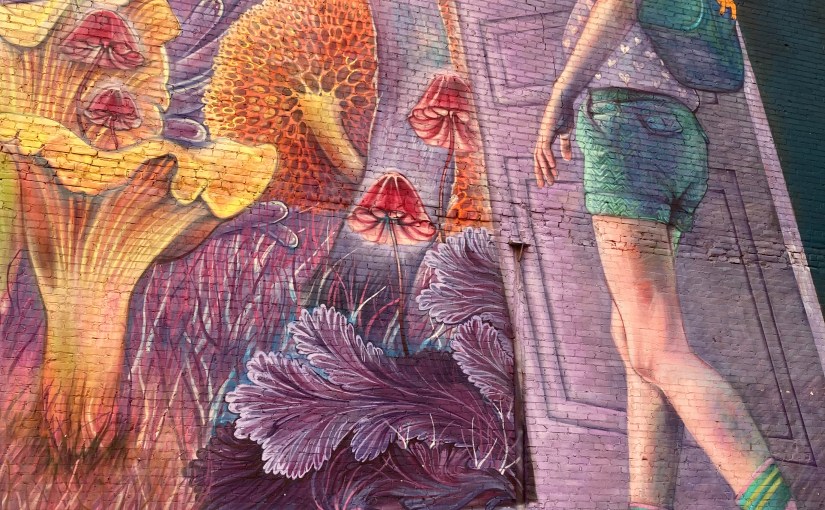
The reading will take place across the street from Blake’s Tavern, in front of a mural called Adventure Time. That’s Thursday, August 5, at 7 to 9 pm at Washington and Matthewson in Providence, Rhode Island.

This event is hosted by What Cheer Writers Club in partnership with The Avenue Concept and in collaboration with PVDFest. It was made possible by generous funding from the Providence Tourism Council.

Edited thanks to the Tilted Planet Editorial Board.

My New World

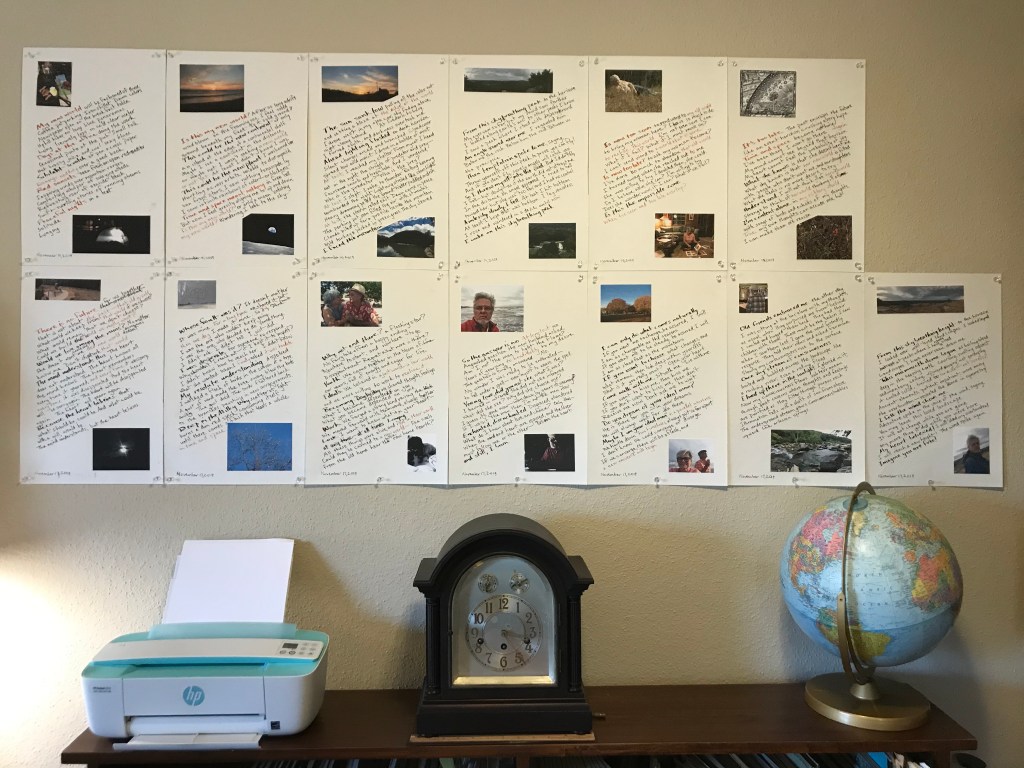
The manuscript is called My New World.  It tells of a life-change.  Change is the universal constant, yet we have a hard time figuring it out.  This manuscript represents a few years of trying to figure it out.

You may remember that I was resuming work on the manuscript after some time rolling the rock up the hill.

I sat down and finished the manuscript in three days.  It’s pretty much done.  A couple of pages need to be redone, and a couple of pictures need to be touched up.  I believe in substantial completion.

I think the next step is to look for a gallery that will show them.  They’re meant to hang on the wall.

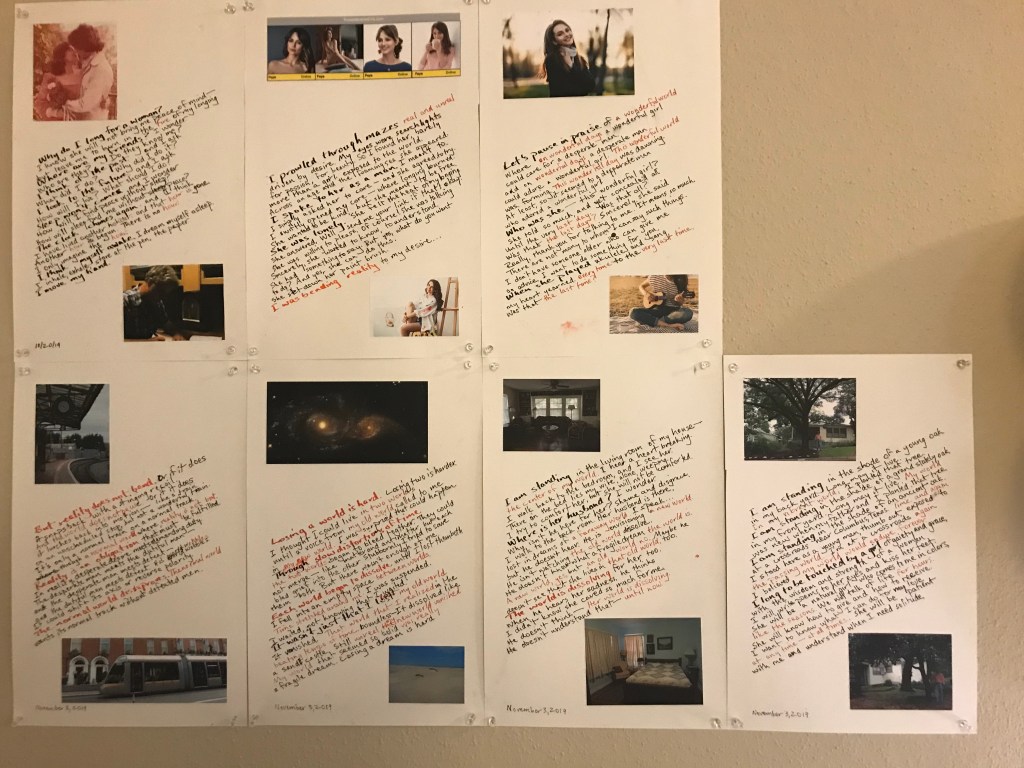
These are real-world only artifacts.  They will not be published online.  They contain feelings and photos that have meaning to me and to those who are close to me.

If I am able to schedule a showing, then I will print a catalog of the show, for those who attend and want them.

For the cover I chose an old woodcut from the nineteenth century, Flammarion.  It’s anonymous.  I have always loved it, because it portrays a man taking a look past the edge of this world to a larger world, an unfamiliar world.  It seems to me a Renaissance concept, or Enlightenment.  It also partakes of the spirit of Walt Whitman.  We are creatures, sentient, in a cosmos.

I’m working at coloring it.  The picture here shows my first attempt.  I hope I will do better.

So close…

So close. I was so close to finishing the manuscript. Then my world shifted. It seems to do that. But, now I’m ready to return to it.

I had the photos printed on the pages. A few photos were too dark, so I had to work on those.

Then, suddenly, I got notice from my office building management that I would have to move my law office, and move it in a hurry. My lease was expired. They had decided to lease out the entire floor. All the small offices had to go.

I dropped everything and mobilized. In just under 30 days I had found a new office and moved into it. For the past two weeks I’ve been trying to get the place organized. There’s still a lot to do, but at last I can spare some attention for the manuscript.

So, here I go again.

I have lived with this manuscript for more than a year. And before that, I lived with an urge for more than a year. This project represents a turning point, both personally and poetically. (Is there a difference?). Seeing the other side is like looking from an old world into a new one.

Pulling the manuscript together


I’m pulling together the last strands of my manuscript project. I’m assembling the last illustrations. I’ve done the preliminary page layout. Now I’m adjusting the lines of lettering and the photo sizing for each page.

I delivered a couple of old photos from the age of film to Holland Photo for scanning. One is faded, and it will have its color refreshed. The other is black and white, and it will be colorized. Almost all the other photos are from the digital age.

This morning, I took new pictures of my breakfast cooking. The picture I had was a vertical, and I needed a horizontal. More important, the picture I had was too dark. Sometime I will tell you all about my dislike of the black stove in my apartment. I fixed it with some white parchment paper. Looks good, I think.

I need to practice with the watercolors in preparation for coloring an illustration from a woodcut. It’s Flammarion, a really spectacular drawing from the 1800s. My watercolor ability is pretty crude, so we’ll see how long it takes and how it turns out.

I had thought about highlighting some words of the text with watercolor, and I tried it on the last draft. It was a disappointment. So, not doing that.

The page layout went pretty well. I stumbled a lot figuring out how to use Affinity Publisher, but I’m getting the hang of it. I’ll write more about that soon, too.

I had a run of the pages, with only the pictures, printed on plain paper. I’m using those and written pages from a previous draft to adjust picture size and text placement for the final manuscript. First, I lay the draft on the lightpad. Then I lay the photo layout over it. I can see it all. Then I figure out how I want to fit everything together.

You can see (squint at it) by the photo of the sheets on the lightpad that the lettering sheet shows through the photo sheet, so it’s easy to fit them together into a composite image. (You can also see the sad results of my watercolor attempt.) In that composite, the page-head photo covers part of two lines of print, so I’ll have to get creative about that.

Some time this week I intend to put the final photo layout file on a flash drive and take it to Miller Imaging. They will print it on some high quality paper. I haven’t chosen the paper yet.

Once I have the good sheets with the photos on, I’ll sit down to do the final lettering. I’m aiming for this coming weekend or the following. I’m getting excited about it.